Game-day rosters,
done before warm-ups.
Keep one student list for your school. Build each team's roster, pick starters (and liberos), then text the lineup as a PDF from your own phone. No app for parents to install.
- 2 teams
- free, forever
- 8 sports
- with positions
- 1 tap
- to duplicate a game
Everything a coach does on the bus, in two taps.
One student list, every team
Enter first name, last name, jersey number and grade once. Put the same student on JV and Varsity, with a different number if you need to.
Baseline roster + starters
Each team has a standard roster with default starters. Every game begins there, so you only touch what changed.
Game instances that diverge
Create a dated game, add a call-up, bench a starter, swap positions. The baseline stays untouched. Duplicate last week's lineup in one tap.
Sport-aware
Pick the sport first. Volleyball unlocks libero picks and S/OH/MB/OPP/DS positions; basketball gets five starters; soccer gets eleven.
A PDF you'd hand to a ref
Clean, letter-size, with your school name, team color, starters first, bench after, and your game notes at the bottom.
Text from your phone
Opens your own Messages app with the roster pre-typed, or shares the PDF via the system share sheet. Nothing to install, no numbers to upload.
Three steps. Then it's muscle memory.
- 01
Set up school & team
Type your school name once. Pick the sport, name the team, choose a color.
- 02
Add students, build the roster
Add students or paste a list from a spreadsheet. Tick them from the list to build the roster, then mark your starters.
- 03
Create the game, text it
New game → it starts from the baseline. Tweak, then Text roster or Share PDF. Next week, hit Duplicate.
This is what you'll send.
Generated from real data in the app. Click either sheet to open the actual PDF.
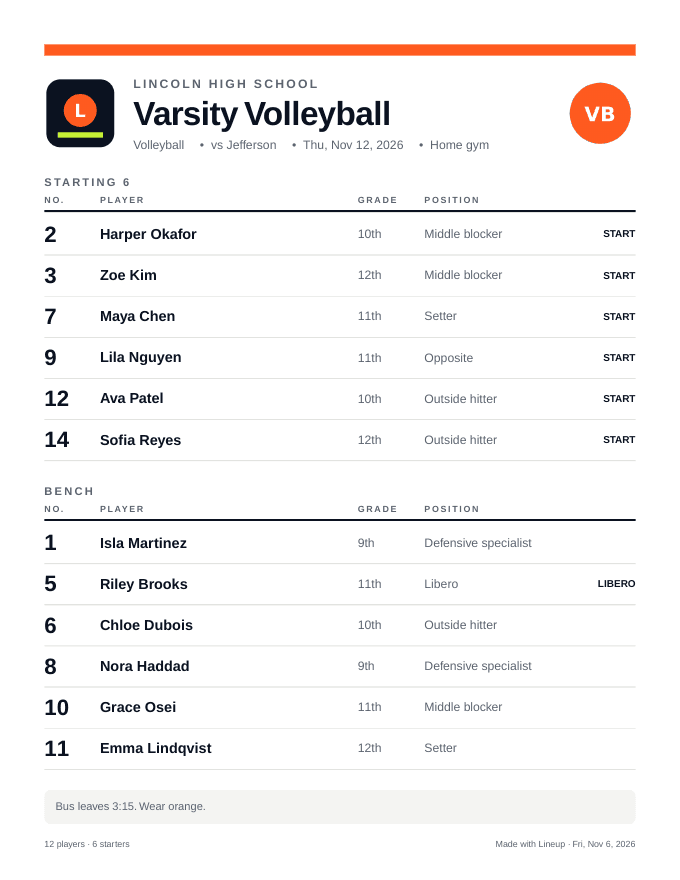
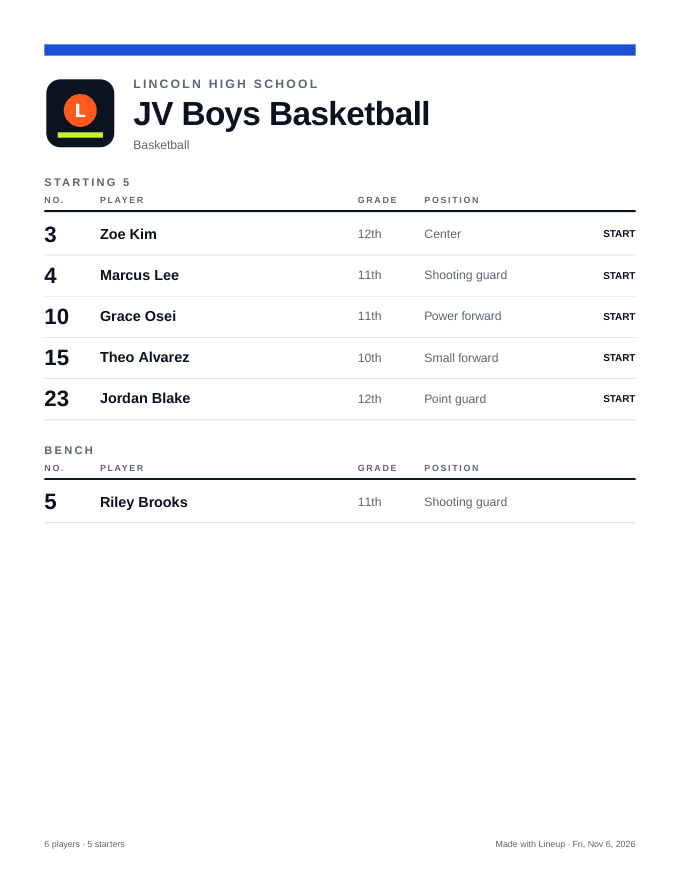
Your phone. Your Messages app. Your group thread.
RosterSheet never sends messages for you and never asks for parents' numbers. Tap Text roster and your phone opens a new text with the lineup already typed. Tap Share PDF and the system share sheet lets you drop the sheet into any thread, email, or AirDrop.
- Works on iPhone and Android with the built-in SMS app.
- No contact upload, no carrier fees, nothing for parents to install.
- Plain-text version fits a single message, sorted starters-first.
Free for a small program. Cheap for a big one.
Free includes 2 teams and 4 saved games — enough to try a real season. Upgrade any time; your data comes with you.
Free
Everything you need to run one season.
- 2 teams
- 4 saved games
- Student list & baseline roster
- Starters & libero picks
- Duplicate any game in one tap
- PDF with your school name
- Text the roster from your phone
Coach
For the coach who runs more than one squad.
- Everything in Free
- Unlimited teams
- Unlimited games
- Full season of saved lineups
- Priority email support
Program
For athletic directors and whole programs.
- Everything in Coach
- Up to 10 coach seats (coming soon)
- School-wide branding on every PDF (coming soon)
- Shared student pool across coaches (coming soon)
- Onboarding call
Questions coaches ask
Does it send the texts for me?
No — and that's the point. It opens your own Messages app with the roster filled in, so it goes out from your number to the thread you already use. Nothing to configure and no per-message fees.
What happens to a saved game if I change the team roster?
Nothing. Games are snapshots. The baseline roster only affects games you create afterwards. Use 'Reset to baseline' on a game if you want to re-copy it.
Can a student be on two teams?
Yes. The student list is school-wide; put them on as many rosters as you like, with a different jersey number per team if needed.
Which sports are supported?
Volleyball, basketball, soccer, baseball, softball, football, lacrosse and hockey — each with its own positions and starter count. Volleyball also gets libero designations.
Is there a mobile app?
RosterSheet is a responsive web app, so it works in your phone's browser today. Add it to your home screen for one-tap access.